Jellyfin 12: what’s new and how to upgrade your media server without losing anything
Jellyfin has jumped from version 10.11 to 12 with a faster database, a modern interface by default and better playback on TVs. The upgrade rewrites your database on first start and drops 32-bit Arm, so a little preparation goes a long way.
By OwnYourStack Admin · Published
Jellyfin, the free and open-source media server, released version 12.0 on 7 September 2026. Bug-fix releases followed quickly: 12.1 on 15 September, 12.2 on 5 October (51 server fixes, 17 web client fixes, including a web security fix) and 12.3 in late October. If you are upgrading now, go straight to the latest 12.x.
Why 12 and not 10.12?
Jellyfin has dropped the largely meaningless leading “10” that it inherited at the start of the project. What would have been 10.12 is simply 12.0. From now on, the first number changes for major releases and the second for bug-fix and security releases, so 12.1, 12.2 and 12.3 are all minor updates to 12.
What’s new
- Faster handling of large libraries. Building on the database overhaul that began with 10.11, playlists, collections and box sets are now stored so the server works with individual entries instead of repeatedly loading entire lists.
- The modern web interface is now the default.
- Playback improvements with FFmpeg 8.1, better hardware tone mapping, Dolby Vision compatibility, subtitle fixes and AV1 direct streaming on TV apps (webOS, Tizen, Android TV) and iOS.
- Better TV recognition, including proper support for multiple versions of the same episode, not just films.
- Books and comics received significant attention.
- A modern foundation: the server now runs on .NET 10.
Two things that can catch you out
32-bit Arm is gone
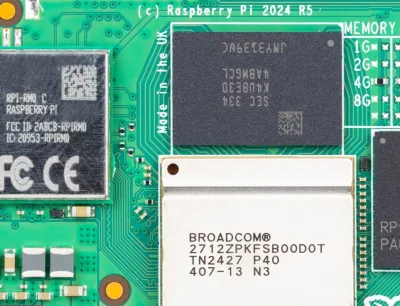
Jellyfin 12 completely removes support for 32-bit Arm (armhf). If your server is an older Raspberry Pi running a 32-bit operating system, Jellyfin 12 will not install. You will need a 64-bit operating system (a Raspberry Pi 3, 4 or 5 can run one) or different hardware. Check with uname -m: aarch64 is fine, armv7l is not.
The database is rewritten on first start
Jellyfin 12 changes the database schema and migrates your data the first time it starts. This is a one-way trip: you cannot simply go back to 10.11 afterwards without a backup.
Safe upgrade checklist
- Back up the Jellyfin data and configuration folders with the server stopped. On Debian or Ubuntu packages these are typically /var/lib/jellyfin and /etc/jellyfin; with Docker, back up the volumes mapped to /config and /cache.
- Check your plugins. Plugins built for 10.11 do not run on 12. Most popular plugins have published Jellyfin 12 versions, sometimes from a different repository address, so check each one’s release notes.
- Check your clients. Update the Jellyfin apps on your TVs, phones and streaming boxes, as well as third-party players.
- Upgrade, then be patient on first start: the migration can take a while on a large library. Do not interrupt it.
- Test playback on each device type, especially anything relying on hardware transcoding.
Should you upgrade?
Yes, once you have a backup and a 64-bit system. The 10.11 branch is only receiving maintenance releases, and the run of quick 12.x bug-fix releases shows the new branch is now settling down.
Sources
- Jellyfin: Jellyfin 12.0 release announcement (7 September 2026)
- Linuxiac: Jellyfin 12.0 media server released with faster database, modern UI
- Wikipedia: Jellyfin, release history
- NAS Compares: Jellyfin 12.0 RC1, version numbering and upgrade changes
- JellyWatch: Jellyfin 12.2 is out, 51 server fixes and a web security fix
- GitHub: Jellyfin Server for Windows releases (12.2 and 12.3 packages)