Proxmox VE now runs on Arm, but don’t throw your Raspberry Pi at it just yet
For the first time, Proxmox has released an official build of its virtualisation platform for 64-bit Arm. It is a big moment for low-power servers, yet the Raspberry Pi is explicitly left out. Here is what is supported and what it means for home labs.
By OwnYourStack Admin · Published

Proxmox VE, the open-source hypervisor that powers a large share of home labs, has officially left the x86-only world. In early August 2026, Proxmox Server Solutions published Proxmox VE 9.2 for arm64, its first release for a processor architecture other than x86-64.
Same Proxmox, different CPU
This is not a separate product. The Arm build is the same 9.2 release that shipped for x86-64 on 21 May 2026, and it shares the same code base, package repositories and release lifecycle. It is based on Debian 13 “Trixie” with Linux kernel 7.0, and includes QEMU 11.0, LXC 7.0, ZFS 2.4 and Ceph Tentacle. The web interface, command-line tools and documentation are identical, apart from a short list of architecture-specific differences.
What hardware is supported
Support comes in tiers. Full, official support currently covers NVIDIA’s Grace and Vera server platforms, which is no accident: the port was largely sponsored by NVIDIA for its own data-centre management software, and Proxmox also validated systems with Supermicro. Other Arm hardware that boots through UEFI and describes itself through ACPI (in practice, Arm servers and workstations such as those based on Ampere chips) is supported on a best-effort basis.
The Raspberry Pi question
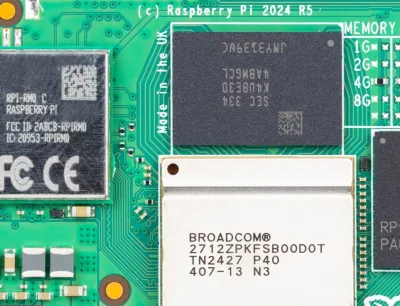
The answer is no, at least officially. Proxmox states that device-tree-only single-board computers, with the Raspberry Pi named explicitly, are not supported, because the host must boot through UEFI and ACPI.
That has not stopped the community. Enthusiasts have shown Proxmox VE 9.2 running on a Raspberry Pi 4 and a Raspberry Pi 5, either by installing the packages manually on top of a Debian Trixie base or with community UEFI firmware. It works well enough for experiments, but it is unsupported, may break with any update, and is not something we would trust with services your household depends on.
The other caveats
- Virtual machines boot through UEFI only (AAVMF): there is no SeaBIOS on Arm, so legacy BIOS guests are out.
- Your guests must be Arm too. Running x86 operating systems would require slow emulation; check that the software you want to run publishes arm64 builds or container images.
- No live migration between architectures. An Arm node and an x86 node can sit in the same cluster, but a running VM cannot move between them.
- Some x86 features are missing, such as AMD SEV memory encryption and Intel GVT-g virtual GPUs, and there are no CPU microcode packages.
- Subscriptions are separate from those for x86-64, which matters only if you pay for the enterprise repository.
What it means for home labs
In the short term, little changes for most people: an Intel N-series mini PC remains the simplest low-power Proxmox box, and it runs everything. In the longer term, an official Arm build is good news. Arm boards and mini PCs that boot with standard UEFI firmware are becoming more common, and Proxmox now has a supported path to run on them. If you are buying hardware for a Proxmox home server today, stay with x86. If you like to experiment, an Arm machine with proper UEFI support is now a legitimate, documented option.