UniFi Cloud Gateway or Firewalla? Home firewalls compared in November 2026
Six home firewall appliances from UniFi and Firewalla compared on ports, quoted speeds and price, using the manufacturers' own pages, with what we could not verify.
By Andrew Ingleton · Published
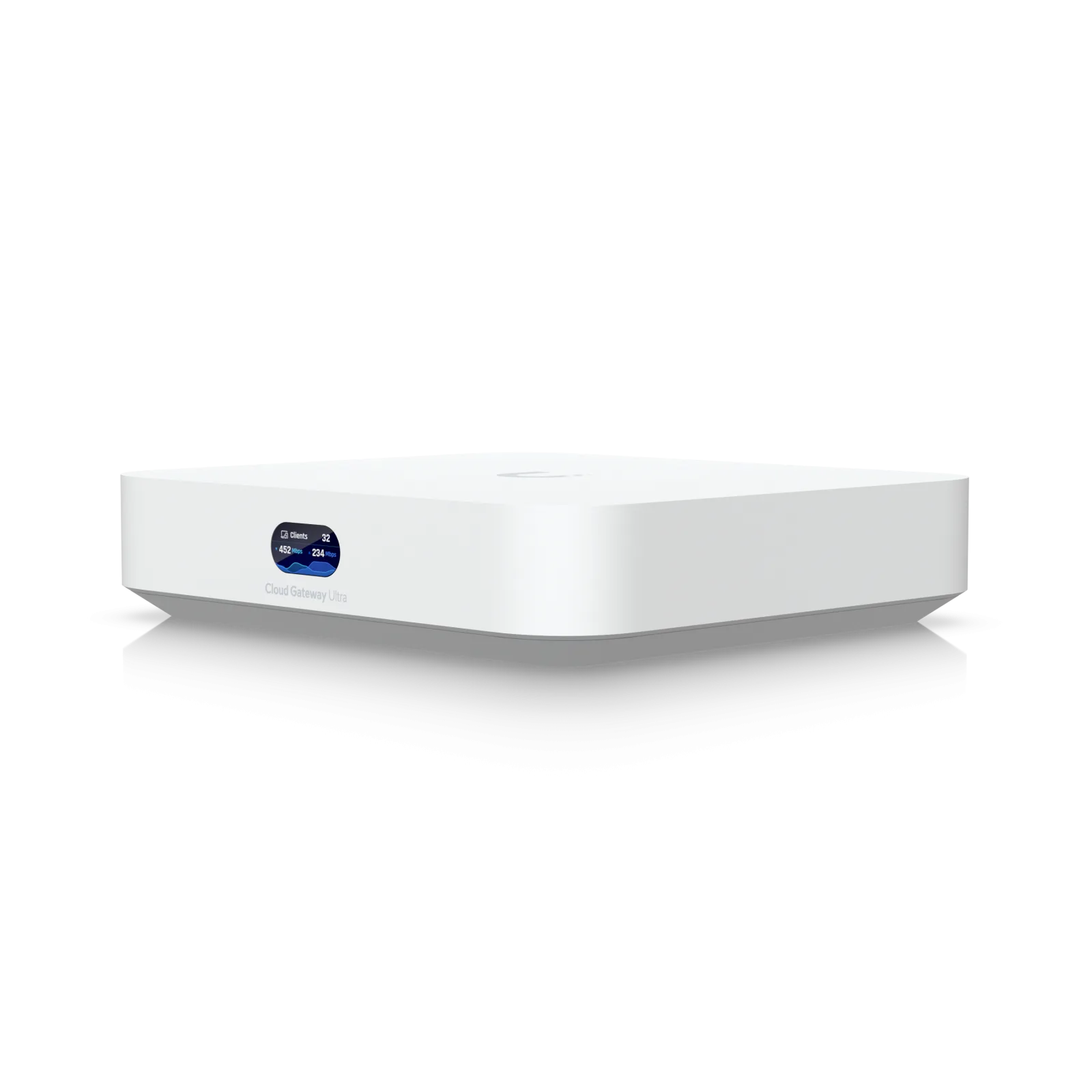
If you want more from your home network than an ISP router, there are two popular off-the-shelf routes: UniFi's cloud gateways, which fold routing, intrusion prevention and the UniFi controller into one box, and Firewalla, whose appliances sit in front of or inside your network and are managed from a phone app. We compared the models that make sense for a home or home lab using the manufacturers' own pages on 8 November 2026. If you would rather build your own with OPNsense or pfSense, see our Protectli comparison.
The short version
- Cheapest way into a proper firewall: the UniFi Cloud Gateway Ultra at £79 on the UK store, or the Firewalla Purple SE at $299 (US price).
- Fast fibre (2.5Gbps and up): UniFi Cloud Gateway Fiber at £220, or Firewalla Gold SE or Gold Plus.
- Prefer an app over a controller: Firewalla. Already own UniFi switches and access points: UniFi.
Specifications side by side
| Model | Price (as listed) | Ports | Speed figure quoted | Wi-Fi |
|---|---|---|---|---|
| UniFi Cloud Gateway Ultra | £79.00 (UK store) | 4 x 1GbE, 1 x 2.5GbE | 1Gbps IPS routing | No |
| UniFi Cloud Gateway Max | From £159.00 (UK store) | 5 x 2.5GbE | 2.3Gbps IPS | No |
| UniFi Cloud Gateway Fiber | £220.00 (UK store) | 4 x 2.5GbE, 1 x 10GbE, 2 x 10G SFP+, 1 PoE+ port | 5Gbps IPS | No |
| Firewalla Purple SE | $299 (US store) | 2 network interfaces (type not stated) | 500Mbps software packet processing | No |
| Firewalla Gold SE | $549 (US store) | 2 x 2.5GbE, 2 x 1GbE | 2Gbps+ software packet processing | No |
| Firewalla Gold Plus | $679 (US store) | 4 x 2.5GbE plus a console port | 5Gbps software packet processing | No |
The speed figures are not like for like. UniFi quotes throughput with intrusion prevention switched on; Firewalla quotes software packet processing. Neither is a lab test, so treat both as the manufacturer's best case. On VPN, Firewalla publishes WireGuard figures of 220Mbps (Purple SE), 350Mbps (Gold SE) and 500Mbps (Gold Plus), which is a useful limit to know if you plan to route all traffic through a tunnel.
UniFi: one ecosystem, one controller
The UniFi gateways run the UniFi Network application locally, so the gateway is also where you manage your access points and switches. The Ultra is listed as supporting 30+ UniFi devices and 300+ clients, which is plenty for a house. No subscription is required; an optional CyberSecure add-on is listed at £79 a year per unit. The catch is that you are buying into a single vendor: the value is greatest if the rest of your network is UniFi too. Note that the Dream Machine Pro Max (£475) and Dream Router 7 (£220) also appear on the store but are aimed at rack setups and all-in-one Wi-Fi respectively.
Firewalla: a security box you can drop in
Firewalla devices have no Wi-Fi of their own, so you need a separate access point. Their selling point is flexibility: they can replace your router or work alongside the ISP router, and they include intrusion detection and prevention, per-device rules and site-to-site VPN (one connection on the Purple SE, ten on the Gold models). The Purple SE has a 4-core ARM chip with 2GB of RAM; the Gold SE has 4GB and the Gold Plus a quad-core Intel CPU, all drawing roughly 7 to 15W.
What we could not verify
- UK prices for Firewalla. Its store lists US dollars only; add VAT and delivery before comparing with UniFi.
- Port types on the Purple SE. The product page does not state them.
- Real-world throughput. No independent tests were used here.
Which should you buy?
If you have a gigabit line and want a tidy, inexpensive upgrade, the Cloud Gateway Ultra is hard to beat on price. If you have a multi-gig connection, step up to the Cloud Gateway Fiber or a Firewalla Gold. If you do not want to run a controller and prefer to manage everything from your phone, Firewalla is the simpler path. Either way, put smart-home devices on their own network, which both brands support.